Graphics
In this article, we will discuss the Cosmos Graphics Subsystem (CGS) on Cosmos Gen3: how to get a drawing surface and put shapes, text and images on the screen. CGS is based on the abstraction of a Canvas, an empty space you draw on. It is a drawing layer, not a widget toolkit: there are no windows or buttons, but everything you need to build them.
The main differences if you come from Gen2:
| Gen2 | Gen3 | |
|---|---|---|
| Canvas API | Cosmos.System.Graphics |
Same API, in Cosmos.Kernel.System.Graphics |
| Video drivers | VBE, VGA, VMWare SVGA II | The firmware framebuffer Limine hands over (x64 and ARM64), plus the display drivers the driver kit publishes: virtio-gpu, VMware SVGA II, AMD DCN 3.1.5 (the Radeon graphics of Ryzen 7000 and 9000 processors) and Intel integrated graphics (2nd to 14th generation Core processors) |
Display() |
Required on double-buffered drivers | Always required: the canvas is double-buffered |
| Video mode | Switchable at runtime | Switchable on a display that offers IDisplayModes (the VMware SVGA II adapter); fixed at boot otherwise |
| Text console | Separate VGA text mode | Rendered on the same canvas |
| Colors | System.Drawing.Color |
System.Drawing.Color |
If you find bugs or something abnormal, please submit an issue on our repository.
Enable graphics in your kernel
Graphics support is behind a feature switch. Make sure your kernel's .csproj does not turn it off (it defaults to true):
<PropertyGroup>
  <CosmosEnableGraphics>true</CosmosEnableGraphics>
</PropertyGroup>
These are the usings the snippets below rely on:
using System.Diagnostics;
using System.Drawing;
using System.IO;
using System.Numerics;
using Cosmos.Kernel.System.Graphics;
using Cosmos.Kernel.System.Graphics.Fonts;
using Cosmos.Kernel.System.Graphics.Rendering3D;
using Cosmos.Kernel.System.Input;
Getting a canvas
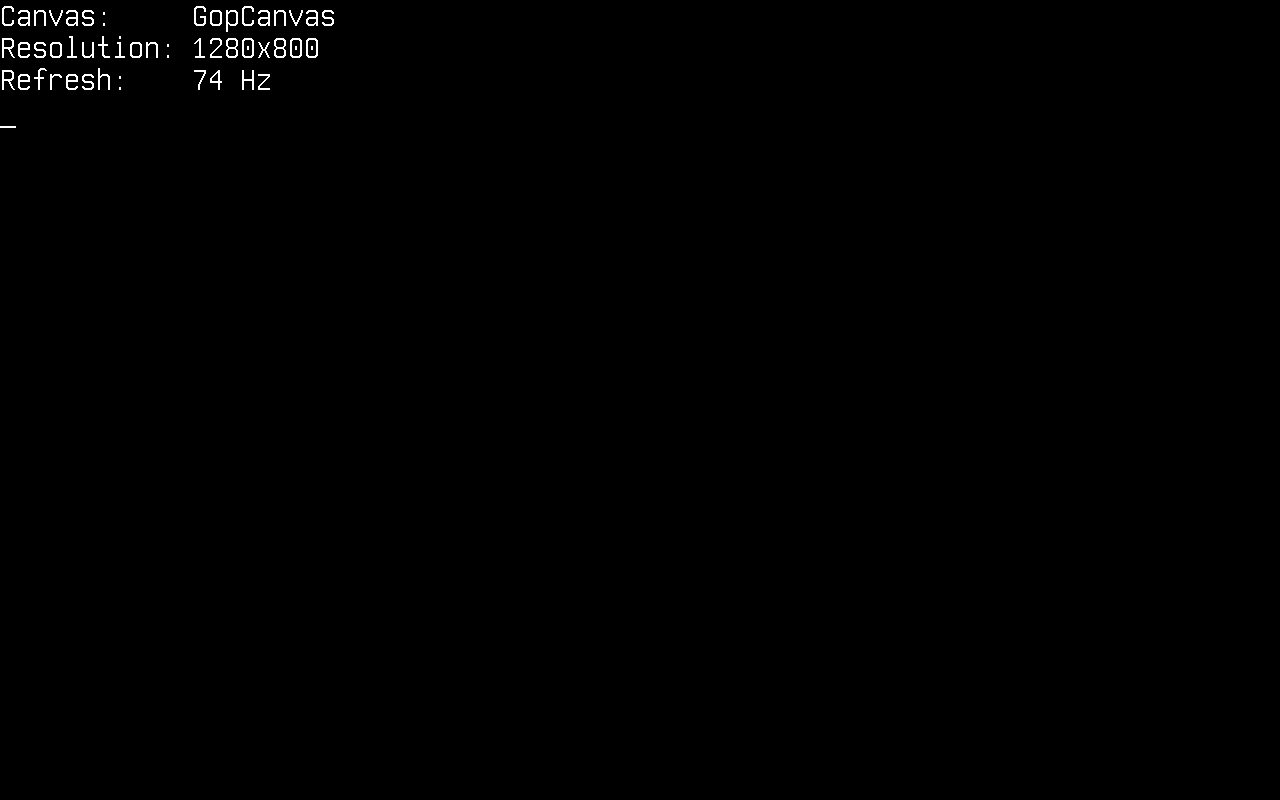
Canvas.GetFullScreen() returns the canvas on the primary display the driver kit found: the framebuffer the bootloader set up at boot, or the display a display driver published. Name says which, as the driver's name followed by the display's, firmware framebuffer on the boot framebuffer:
Canvas canvas = Canvas.GetFullScreen();

Console.WriteLine("Canvas:     " + canvas.Name);
Console.WriteLine("Resolution: " + canvas.Width + "x" + canvas.Height);
Console.WriteLine("Refresh:    " + canvas.RefreshRate + " Hz");
Four things to know before you start drawing:
- The resolution is fixed at boot unless the display switches modes. On the firmware framebuffer and on virtio-gpu, requesting a different
Modedoes not reprogram anything: the request is ignored and the canvas keeps the resolution the display is in. A display that offersIDisplayModes, the VMware SVGA II adapter today, is switched byCanvas.GetFullScreen(Mode), which throwsArgumentOutOfRangeExceptionfor a mode the display refuses. Usecanvas.Widthandcanvas.Heightinstead of assuming one either way. - Nothing appears until you call
Display(). The canvas is double-buffered: every drawing call goes to a back buffer, andDisplay()copies the finished frame into the display's framebuffer and asks the display to flush it. Draw the whole frame, then callDisplay()once; that is also what keeps animations flicker-free. - Drawing outside the canvas is safe. Every primitive clips: pixels outside
0..Width-1and0..Height-1are dropped, a shape that straddles an edge is drawn up to it, and nothing throws. Coordinates never need clamping before a call. Consoleshares the screen with you. There is no separate text mode:Console.WriteLineis itself rendered on the full-screen canvas (and callsDisplay()on every write). Once you start drawing, stop writing toConsole: the next write would paint text right over your graphics. This also means an uncaught exception prints over whatever you drew, which, unlike Gen2 where the screen just froze, at least tells you what went wrong.
The canvas is cached: every GetFullScreen() call returns the same one until DisableFullScreen(). A canvas whose display was withdrawn (its driver unbound, or the firmware display retired after a driver took over the adapter) is the one exception: Display() copies nothing on it, and the next GetFullScreen() or GetFullScreen(Mode) replaces it with a canvas on the display that is primary now.
Drawing shapes
The canvas offers the classic set of primitives (points, lines, rectangles, circles, ellipses, arcs, triangles and polygons), most in outlined and filled variants:
Canvas canvas = Canvas.GetFullScreen();

canvas.Clear(Color.MidnightBlue);

/* A single point */
canvas.DrawPoint(Color.White, 100, 100);

/* Lines: horizontal, vertical and diagonal */
canvas.DrawLine(Color.GreenYellow, 250, 100, 400, 100);
canvas.DrawLine(Color.IndianRed, 350, 150, 350, 250);
canvas.DrawLine(Color.MintCream, 250, 150, 400, 250);

/* Outlined and filled rectangles */
canvas.DrawRectangle(Color.PaleVioletRed, 450, 100, 120, 80);
canvas.DrawFilledRectangle(Color.Chocolate, 450, 220, 120, 80);

/* Circles and ellipses */
canvas.DrawCircle(Color.Chartreuse, 130, 200, 40);
canvas.DrawFilledCircle(Color.MediumOrchid, 130, 320, 40);
canvas.DrawEllipse(Color.DeepSkyBlue, 300, 350, 60, 30);

/* An arc: angles are in degrees */
canvas.DrawArc(Color.CadetBlue, 500, 400, 50, 50, 90, 270);

/* Triangles and polygons */
canvas.DrawTriangle(Color.Gold, 600, 100, 650, 200, 550, 200);
canvas.DrawPolygon(Color.MediumPurple,
    new Point(650, 300), new Point(720, 340), new Point(700, 420), new Point(620, 400));

/* Swap the finished frame to the screen */
canvas.Display();
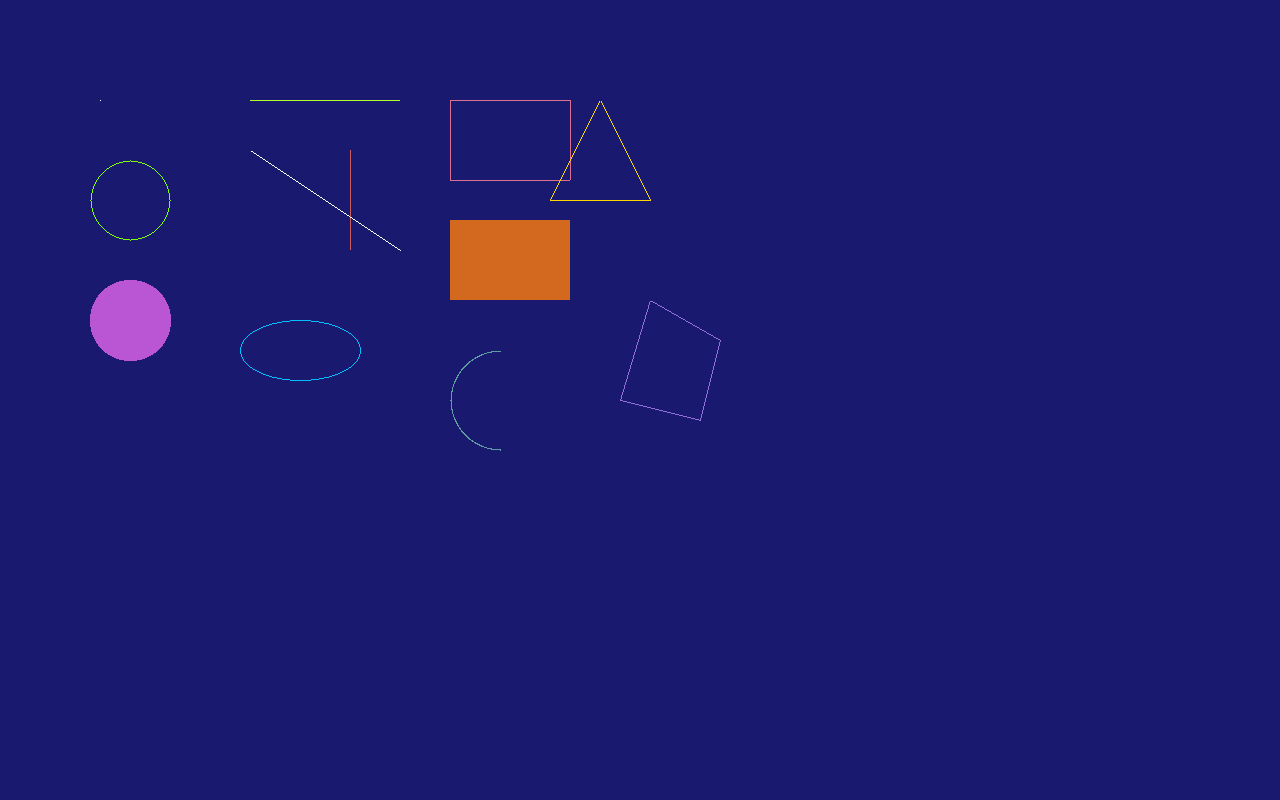
Colors are plain System.Drawing.Color values, so the full named palette (Color.MidnightBlue, Color.Chartreuse, ...) and Color.FromArgb(...) are available. Colors with an alpha channel below 255 are blended with the pixel already on the canvas.
Drawing text
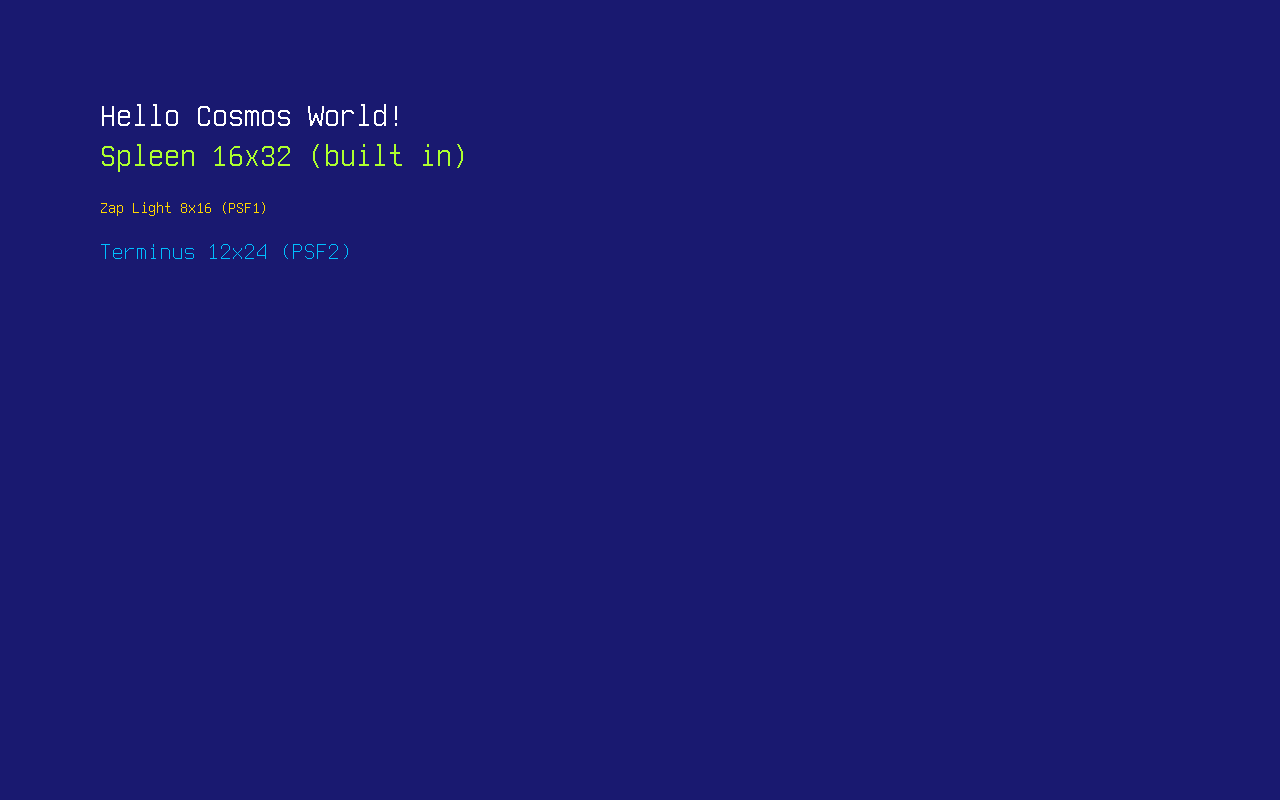
Text rendering uses PSF (PC Screen Font) bitmap fonts, the format the Linux console uses, in both its PSF1 and PSF2 versions. A 16x32 Spleen font is built in as PCScreenFont.DefaultFont, and PCScreenFont.LoadFont(byte[]) loads any other PSF font at runtime.
There are plenty of ready-made PSF fonts to download:
- The Zap Group's console fonts: classic 8x16 PSF1 fonts (
zap-light16.psf,zap-vga16.psf). - Terminus: PSF2 in many sizes; most Linux distributions already ship it under
/usr/share/consolefonts/as.psf.gzfiles (decompress withgunzipfirst, the kernel reads plain.psf). - Spleen: PSF2 releases from 5x8 up to 32x64.
A font is just a file, so the easiest way to ship one is on the FAT disk from the File System article. Here zap16.psf is Zap Light (PSF1) and term24.psf is Terminus 12x24 (PSF2), copied onto the disk under FAT-friendly names:
Canvas canvas = Canvas.GetFullScreen();

canvas.Clear(Color.MidnightBlue);

/* The built-in 16x32 font */
Font font = PCScreenFont.DefaultFont;
canvas.DrawString("Hello Cosmos World!", font, Color.White, 100, 100);
canvas.DrawString("Spleen " + font.Width + "x" + font.Height + " (built in)",
    font, Color.GreenYellow, 100, 140);

/* Load a PSF1 font from the mounted disk... */
Font zap = PCScreenFont.LoadFont(File.ReadAllBytes("/mnt/zap16.psf"));
canvas.DrawString("Zap Light " + zap.Width + "x" + zap.Height + " (PSF1)",
    zap, Color.Gold, 100, 200);

/* ...and a PSF2 font */
Font terminus = PCScreenFont.LoadFont(File.ReadAllBytes("/mnt/term24.psf"));
canvas.DrawString("Terminus " + terminus.Width + "x" + terminus.Height + " (PSF2)",
    terminus, Color.DeepSkyBlue, 100, 240);

canvas.Display();
TrueType fonts
PSF fonts are bitmaps: one size, one cell, no curves. For real typography the TrueTypeFont class loads a .ttf file and rasterizes it at any pixel size, with anti-aliased edges, per-glyph widths and pair kerning. The parser and rasterizer are pure managed code (see the Credits page), so a malformed font file throws an exception instead of corrupting memory.
TrueTypeFont derives from Font, so it goes wherever a bitmap font goes: passed to the plain DrawString overload it draws at its SizePx (set in the constructor, 16 by default). The dedicated overload takes the size explicitly, and each (character, size) pair is rasterized once and cached, so drawing the same text again is cheap:
Canvas canvas = Canvas.GetFullScreen();

canvas.Clear(Color.MidnightBlue);

/* Load a TrueType font from the mounted disk */
TrueTypeFont dejavu = new TrueTypeFont("/mnt/font.ttf");

canvas.DrawString("Hello from a TrueType font!", dejavu, 44, Color.White, 60, 60);
canvas.DrawString("Anti-aliased, kerned and scalable to any size.", dejavu, 24, Color.Gold, 60, 130);

/* One font file, any size */
int y = 200;
foreach (int size in new[] { 14, 20, 28, 40 })
{
    canvas.DrawString("Cosmos at " + size + "px - AV To Wa", dejavu, size, Color.DeepSkyBlue, 60, y);
    y += dejavu.GetLineHeight(size) + 10;
}

canvas.Display();
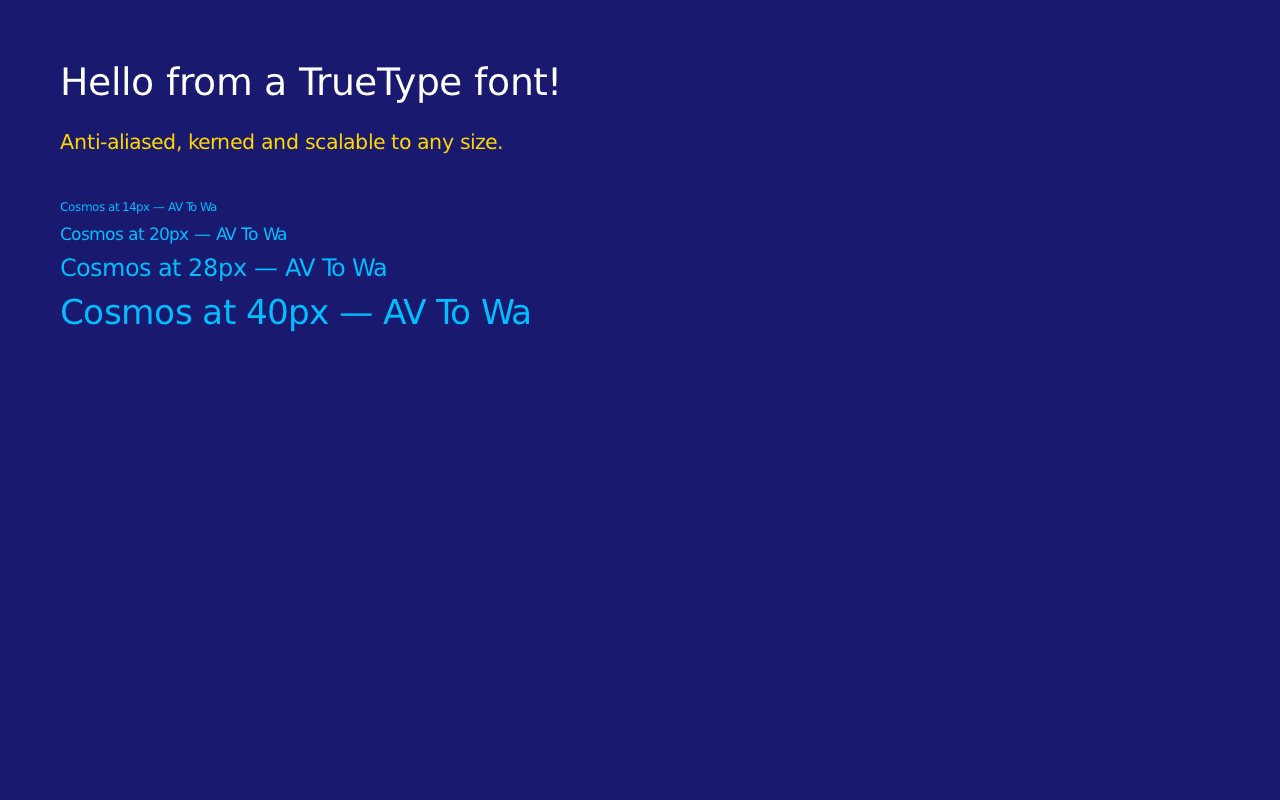
The (x, y) you pass is the top-left of the text line, like the PSF overload. For layout, MeasureString(text, size) returns the width a string will occupy, GetLineHeight(size) the distance between the tops of two lines, and GetLineMetrics(size, out ascent, out descent, out lineGap) the underlying baseline metrics. Kerning comes from the font's legacy kern table; fonts that only ship GPOS kerning still render, just without pair adjustments.
Drawing images
Images are represented by the Bitmap class. You can build one in code from raw pixel data: each pixel is four bytes in B, G, R, A order:
Canvas canvas = Canvas.GetFullScreen();

canvas.Clear(Color.MidnightBlue);

/* A 2x2 bitmap: blue, green, red and white pixels (B G R A byte order) */
Bitmap bitmap = new Bitmap(2, 2, new byte[]
{
    255, 0, 0, 255,      // blue
    0, 255, 0, 255,      // green
    0, 0, 255, 255,      // red
    255, 255, 255, 255,  // white
}, ColorDepth.ColorDepth32);

/* Draw it pixel-for-pixel, then scaled up to 128x128 */
canvas.DrawImage(bitmap, 100, 100);
canvas.DrawImage(bitmap, 100, 150, 128, 128);

canvas.Display();
Every image and canvas draw (DrawImage, CroppedDrawImage and DrawCanvas, plain or stretched) lays each pixel over the canvas by its alpha: an opaque pixel replaces what is there, a transparent one leaves it alone, and one in between mixes the two colors, the result staying opaque over an opaque canvas. Each of them takes an optional last argument, opacity, from 0 (nothing is drawn) to the default 255 (the pixels' own alpha), that fades the whole draw. Over a pixel that is itself translucent or transparent the alphas combine, so an off-screen canvas cleared to Color.Transparent collects what is drawn on it with its transparency intact, ready to be drawn as a layer (see Off-screen canvases). A translucent DrawPoint blends the same way. DrawArray is the one draw that copies pixels raw, alpha included, replacing what was there. None of these draws allocate.
More usefully, Bitmap can load an uncompressed 24-bit or 32-bit BMP file through standard System.IO, for example from a FAT disk mounted as shown in the File System article:
/* logo.bmp is a 24-bit BMP on the FAT partition mounted at /mnt */
Bitmap logo = new Bitmap(@"/mnt/logo.bmp");

canvas.DrawImage(logo,
    (canvas.Width - logo.Width) / 2,
    (canvas.Height - logo.Height) / 2);

canvas.Display();
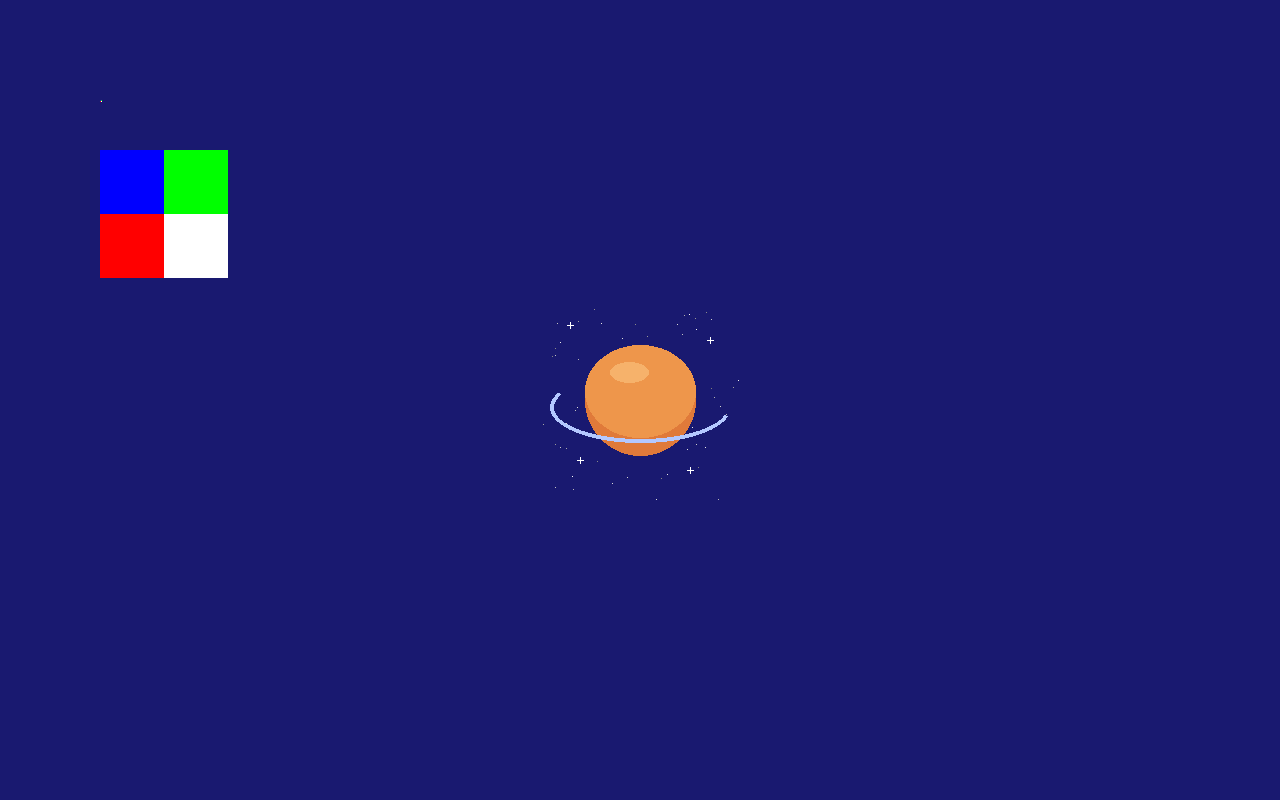
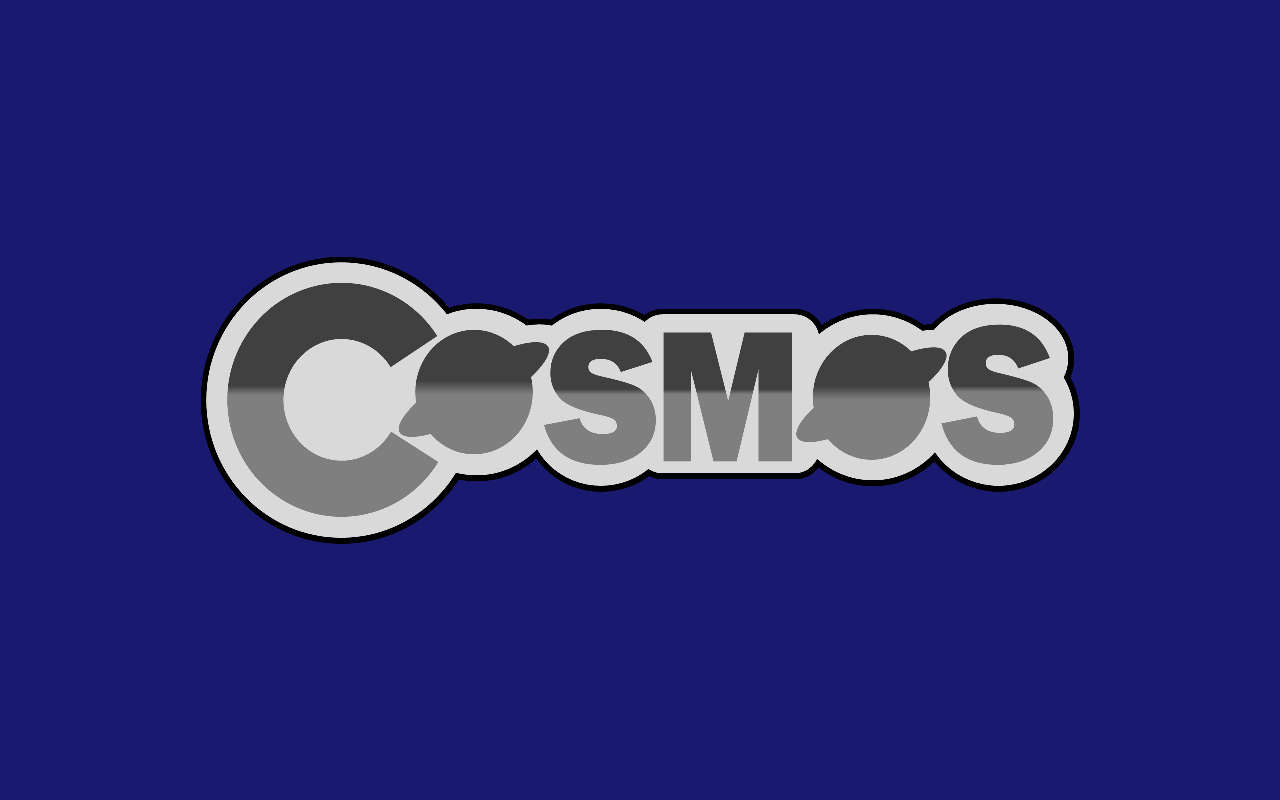
PNG files work the same way through the Png class, also an Image, so it goes wherever a Bitmap goes. The whole format is supported (grayscale, truecolor and palette, with or without alpha, interlaced or not), decoded by pure managed code (see the Credits page). Its transparent pixels blend with what is already on the canvas:
/* logo.png is a PNG with transparency on the FAT partition mounted at /mnt */
Png logo = new Png("/mnt/logo.png");

/* Draw it scaled to half size, centered: transparent pixels blend with the background */
int width = logo.Width / 2;
int height = logo.Height / 2;
canvas.DrawImage(logo, (canvas.Width - width) / 2, (canvas.Height - height) / 2, width, height);

canvas.Display();
A 32-bit BMP whose fourth byte is 0 in every pixel, as many writers save one, has no alpha: it loads opaque. DrawImage(image, destination, source) stretches only the source region of the image over the destination rectangle, both System.Drawing.Rectangles, which is what a window frame cut from one skin image into corners, edges and a middle (a nine-slice frame) is drawn with. canvas.GetImage(x, y, width, height) does the reverse of a draw: it copies a region of the canvas back into a Bitmap.
Off-screen canvases
A Canvas does not have to be the screen. Constructing one with a size gives you a memory-backed canvas with the exact same drawing API: compose a tile or sprite once, then blit it to the screen with DrawCanvas as many times as you like:
Canvas canvas = Canvas.GetFullScreen();

canvas.Clear(Color.MidnightBlue);

/* Compose off-screen... */
Canvas tile = new Canvas(220, 220);
tile.Clear(Color.DarkSlateGray);
tile.DrawFilledCircle(Color.OrangeRed, 110, 110, 70);
tile.DrawString("off-screen", PCScreenFont.DefaultFont, Color.White, 30, 94);

/* ...then blit it to the screen wherever it is needed */
canvas.DrawCanvas(tile, (canvas.Width - 220) / 2, (canvas.Height - 220) / 2);

canvas.Display();
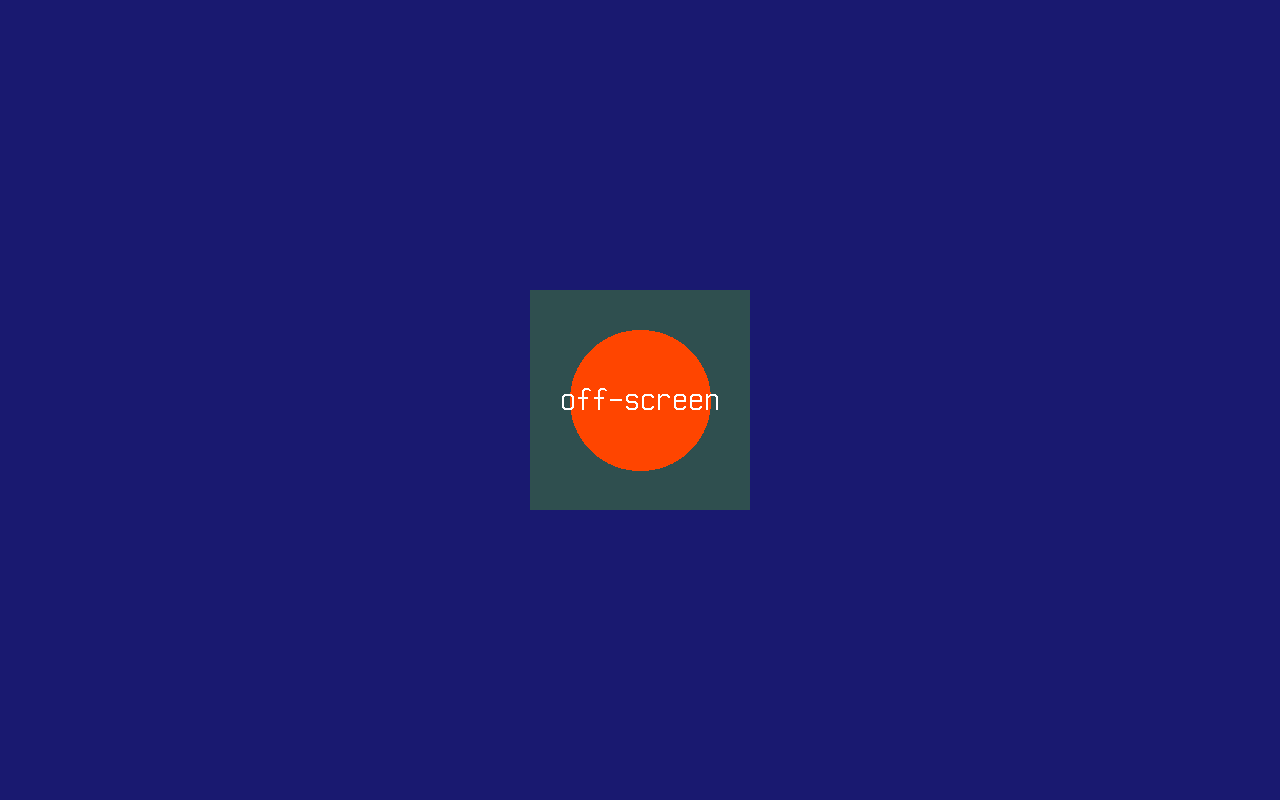
The tile above is opaque, so it lands as a square. To compose layers instead, as a window manager does, clear the off-screen canvas to Color.Transparent and draw on it: DrawCanvas then lets its transparent pixels show what is under them, blends its translucent ones, and fades the whole layer by the optional opacity:
/* A window with a translucent title bar, faded to 80% over the desktop */
Canvas window = new Canvas(300, 200);
window.Clear(Color.Transparent);
window.DrawFilledRectangle(Color.FromArgb(160, 0, 0, 128), 0, 0, 300, 24);
window.DrawFilledRectangle(Color.Silver, 0, 24, 300, 176);

canvas.DrawCanvas(window, 100, 100, 204);
DrawCanvas(canvas, x, y, width, height) stretches the source to width by height, nearest neighbour, without allocating. Drawing a whole interface on a smaller off-screen canvas and stretching it onto the screen once per frame is how to scale it to 150% or 200%: a 1280x720 canvas stretched to 1920x1080 is 150%, and a row that repeats an opaque row above it is copied rather than sampled again:
Canvas screen = Canvas.GetFullScreen();
Canvas ui = new Canvas(screen.Width * 2 / 3, screen.Height * 2 / 3);

/* ...draw the interface on ui at its own size... */

screen.DrawCanvas(ui, 0, 0, screen.Width, screen.Height);
screen.Display();
Pointer coordinates then need the same scale: MouseManager.SetScreenSize(ui.Width, ui.Height) makes the mouse report positions on ui rather than on the screen.
Reading pixels back
GetPointColor returns the color of a pixel already on the canvas:
canvas.DrawPoint(Color.Red, 69, 69);
Color color = canvas.GetPointColor(69, 69);   // Color.Red
3D rendering
3D is reachable when the primary display implements ICanvas3DFactory, the facet a display driver puts on its display when the device renders 3D; Canvas.GetFullScreen() asks the display for it and, when it is there, hands back the driver's own Canvas3D. One shipped driver does so today: VmwareSvgaDriver, for the VMware SVGA II adapter, and only when the adapter negotiates SVGA3D during FIFO initialization. Every other display, the firmware framebuffer cosmos run boots on both architectures and virtio-gpu included, hands back a plain Canvas. QEMU's vmware-svga never negotiates 3D either, so in practice this means real VMware Workstation or ESXi.
The virtual machine also has to present the adapter in its pre guest-backed form. Once it advertises SVGA_CAP_GBOBJECTS, 3D capabilities move to a register interface the driver does not speak, the 3D version in the FIFO stays 0 and the canvas comes back 2D. Lowering the hardware compatibility level of the machine is what keeps the adapter on the older model. This pair works on VMware Workstation 25:
virtualHW.version = "10"
mks.enable3D = "TRUE"
The version where an adapter starts advertising guest-backed objects belongs to the VMware build, so check the outcome rather than trusting a number. The driver prints it on the serial port when it binds the adapter:
[Drivers] pci:0000:00:01.0 VmwareSvgaDriver: 640x480x32 disabled, caps 0x3, svga3d none, vram 16 MiB, fifo 64 KiB
svga3d none there means Canvas.GetFullScreen() will hand back a plain Canvas; lower the compatibility level until the line carries a version instead, svga3d 2.1 for the hardware version 0x20001 the older model reports. The first field is the scanout as the firmware left it, disabled on QEMU until the console programs a mode.
Because the capability is only known at runtime, there is no GetFullScreen3D. A kernel acquires the canvas the usual way and tests what it got:
Canvas canvas = Canvas.GetFullScreen();

if (canvas is Canvas3D canvas3D)
{
    canvas3D.Camera = new Camera3D(new Vector3(0f, 0f, 5f), Vector3.Zero);

    canvas3D.ClearScene(Color.Black);
    canvas3D.DrawCube(Vector3.Zero, new Vector3(1f, 1f, 1f), Color.OrangeRed);
    canvas3D.DrawGrid(10, 1f, Color.DimGray);
    canvas3D.Display();
}
The 3D types, Canvas3D, Camera3D, Mesh, MeshTopology, Texture and ICanvas3DFactory, live in Cosmos.Kernel.System.Graphics.Rendering3D, which the usings at the top of this page import beside the 2D namespace. Canvas3D is a Canvas, so every 2D call still works on it and Display() presents the frame either way. Meshes come from CreateMesh and textures from CreateTexture(Image); DrawMesh(mesh, world) places one with a transform. Disposing a texture releases its device memory, and DrawMesh rejects a mesh that still maps it.
A display driver can implement Canvas3D: its constructor takes the DisplayDevice the canvas draws on, and a driver package derives from it, builds its render targets from Width and Height, recreates them in OnModeChanged, presents the scene in an override of Display() (falling back to the base for a 2D frame) and releases everything in Disable(), keeping its per-resource state in the Mesh and Texture handles through the protected helpers. The SVGA driver's canvas in Cosmos.Kernel.Drivers is written that way, over the public seam, and a kernel reaches it only as a Canvas3D. A kernel that wants 3D uses Canvas.GetFullScreen().
A cube the mouse rolls
Those calls are enough for a whole scene: a mesh with one color per face over the ground grid. The pointer drives the roll, so the further it sits from the center of the screen, the faster the cube rolls that way.
if (Canvas.GetFullScreen() is not Canvas3D canvas3D)
{
    Console.WriteLine("This display device has no 3D.");
    return;
}

MouseManager.SetScreenSize(canvas3D.Width, canvas3D.Height);
canvas3D.Camera = new Camera3D(new Vector3(0f, 2.6f, 4.6f), new Vector3(0f, 0.9f, 0f));

/* One quad per face, four vertices each: the faces share no vertices, so a
   corner does not blend three colors into an unreadable rotation. */
const float H = 0.5f;
ReadOnlySpan<Vector3> positions =
[
    new(H, -H, H), new(H, -H, -H), new(H, H, -H), new(H, H, H),         // +X
    new(-H, -H, -H), new(-H, -H, H), new(-H, H, H), new(-H, H, -H),     // -X
    new(-H, H, H), new(H, H, H), new(H, H, -H), new(-H, H, -H),         // +Y
    new(-H, -H, -H), new(H, -H, -H), new(H, -H, H), new(-H, -H, H),     // -Y
    new(-H, -H, H), new(H, -H, H), new(H, H, H), new(-H, H, H),         // +Z
    new(H, -H, -H), new(-H, -H, -H), new(-H, H, -H), new(H, H, -H),     // -Z
];

ReadOnlySpan<Color> faceColors =
[
    Color.Crimson, Color.MediumSeaGreen, Color.Gold,
    Color.DarkOrange, Color.DodgerBlue, Color.MediumOrchid,
];

Span<uint> colors = stackalloc uint[positions.Length];
Span<ushort> indices = stackalloc ushort[faceColors.Length * 6];

for (int face = 0; face < faceColors.Length; face++)
{
    uint argb = (uint)faceColors[face].ToArgb();
    int first = face * 4;

    for (int corner = 0; corner < 4; corner++)
    {
        colors[first + corner] = argb;
    }

    /* Two triangles per quad, sharing the 0-2 diagonal. */
    int index = face * 6;
    indices[index] = (ushort)first;
    indices[index + 1] = (ushort)(first + 1);
    indices[index + 2] = (ushort)(first + 2);
    indices[index + 3] = (ushort)(first + 2);
    indices[index + 4] = (ushort)(first + 3);
    indices[index + 5] = (ushort)first;
}

Mesh cube = canvas3D.CreateMesh(positions, colors, indices);

Quaternion orientation = Quaternion.Identity;
long previous = Stopwatch.GetTimestamp();

while (true)
{
    long now = Stopwatch.GetTimestamp();
    float elapsed = (float)(now - previous) / Stopwatch.Frequency;
    previous = now;

    /* Where the mouse points, read as a push on the ground plane: 0 at the
       center of the screen, 1 at the edges. */
    Vector3 drive = new(
        (MouseManager.X - canvas3D.Width * 0.5f) / (canvas3D.Width * 0.5f),
        0f,
        (MouseManager.Y - canvas3D.Height * 0.5f) / (canvas3D.Height * 0.5f));

    /* A cube rolling that way turns about the axis perpendicular to both the
       ground normal and the push, on top of a slow idle spin about Y. */
    Vector3 spin = (Vector3.Cross(Vector3.UnitY, drive) * 3.5f) + (Vector3.UnitY * 0.6f);
    orientation = Quaternion.Normalize(Quaternion.Concatenate(
        orientation,
        Quaternion.CreateFromAxisAngle(Vector3.Normalize(spin), spin.Length() * elapsed)));

    canvas3D.ClearScene(Color.FromArgb(0x10, 0x14, 0x20));
    canvas3D.DrawGrid(12, 0.5f, Color.FromArgb(0x30, 0x3A, 0x50));
    canvas3D.DrawMesh(
        cube,
        Matrix4x4.CreateFromQuaternion(orientation) * Matrix4x4.CreateTranslation(0f, 1f, 0f));
    canvas3D.Display();

    Thread.Sleep(16);
}
Current limitations
- Only 32-bit color depth is supported end to end; BMP loading additionally accepts 24-bit files. A display in another depth is listed but receives nothing, logged once as
[Display] firmware framebuffer: 16 bits per pixel is not supported, nothing is drawn. - The video mode can be changed only on a display that offers
IDisplayModes, the VMware SVGA II adapter today; the firmware framebuffer and virtio-gpu stay in the mode they booted in. - Supported image formats are BMP (uncompressed, 24 or 32 bpp) and PNG; there is no JPEG support.
- No hardware acceleration on the 2D path: every 2D primitive is drawn pixel by pixel by the CPU into the back buffer, on every display.
Canvas.DisableFullScreen()only drops the cached canvas, after releasing what a 3D canvas holds on the device; the display stays in its mode, since there is no text mode to return to.
How it works
Canvas.GetFullScreen() returns the canvas on the primary display of DisplayManager, the ring's list of every display the driver kit published. The framebuffer the Limine bootloader requests from the firmware (UEFI GOP) before handing control to the kernel is the first of them, the firmware display named framebuffer, published by the kit's engine before any driver runs; a display driver that binds an adapter publishes its own, virtio-gpu, vmware-svga, amd-dcn or intel-graphics, which the manager prefers over the firmware one. When the driver took over the very adapter the firmware framebuffer sits in, as the SVGA, AMD and Intel drivers do, the kit retires the firmware display, and a kernel that would rather keep it excludes the driver from its manifest. The canvas is the framework Canvas over the display, or the driver's Canvas3D when the display implements ICanvas3DFactory (see 3D rendering). This is why the same code works unmodified on x64 and ARM64, and on every display: the canvas never touches a video card directly. Drawing calls land in a back buffer in ordinary memory; Display() copies the back buffer into the display's framebuffer, row by row and clipped to the mode the display is in, then calls the display's Flush, a no-op on the firmware framebuffer, a transfer command on virtio-gpu and a page flip at the next vertical update on amd-dcn and intel-graphics. The kernel console (KernelConsole) renders Console output onto that same canvas with the default PSF font, calling Display() after every write.
Canvas API (shapes, text, images)      (Cosmos.Kernel.System.Graphics)
        │
Full-screen canvas ── shared with ── KernelConsole (Console output)
        │
Back buffer ──── Display() ────▶ the primary display's framebuffer, then Flush()
                                        │
                              DisplayManager (primary first)
                                        │
                     driver kit: the firmware display "framebuffer" (Limine, x64 & ARM64)
                                 or a driver's display (virtio-gpu, vmware-svga, amd-dcn, intel-graphics)